πŸ›‘οΈ Fully Offline Β· Zero Telemetry Β· GPL-3.0 FOSS Β· Android 8.0+

Private by design.
Your moments, yours alone.

The high-performance, fluid Android gallery built with Jetpack Compose. Hardware AES-256 encrypted vault, plausible deniability Decoy PIN, forensic CSPRNG file shredder, native photo collage maker, and zero telemetry.

πŸ“± Hiring Managers & Testers:

Download the pre-compiled APK directly from GitHub Releases and install in 10 seconds.

⬇️ Get Release APK (v1.1.57)
⚑ 120Hz Jetpack Compose
πŸ”’ Hardware AES-256 Vault
🎭 Decoy PIN Mode
πŸͺ“ CSPRNG Shredder
🚫 0 KB Data Sent

See Imava in Action

Experience 120Hz smooth scrolling, instant offline album filtering, photo tuning, and hardware vault security.

⚑ 120 FPS Fluid Animations πŸ›‘οΈ Zero Cloud Lag 🎨 Built-in Photo Editor πŸ”’ Instant Hardware Lock

Built with Material 3 & Jetpack Compose

Engineered for modern Android with fluid 120Hz paging, crisp typography, and edge-to-edge Material You styling.
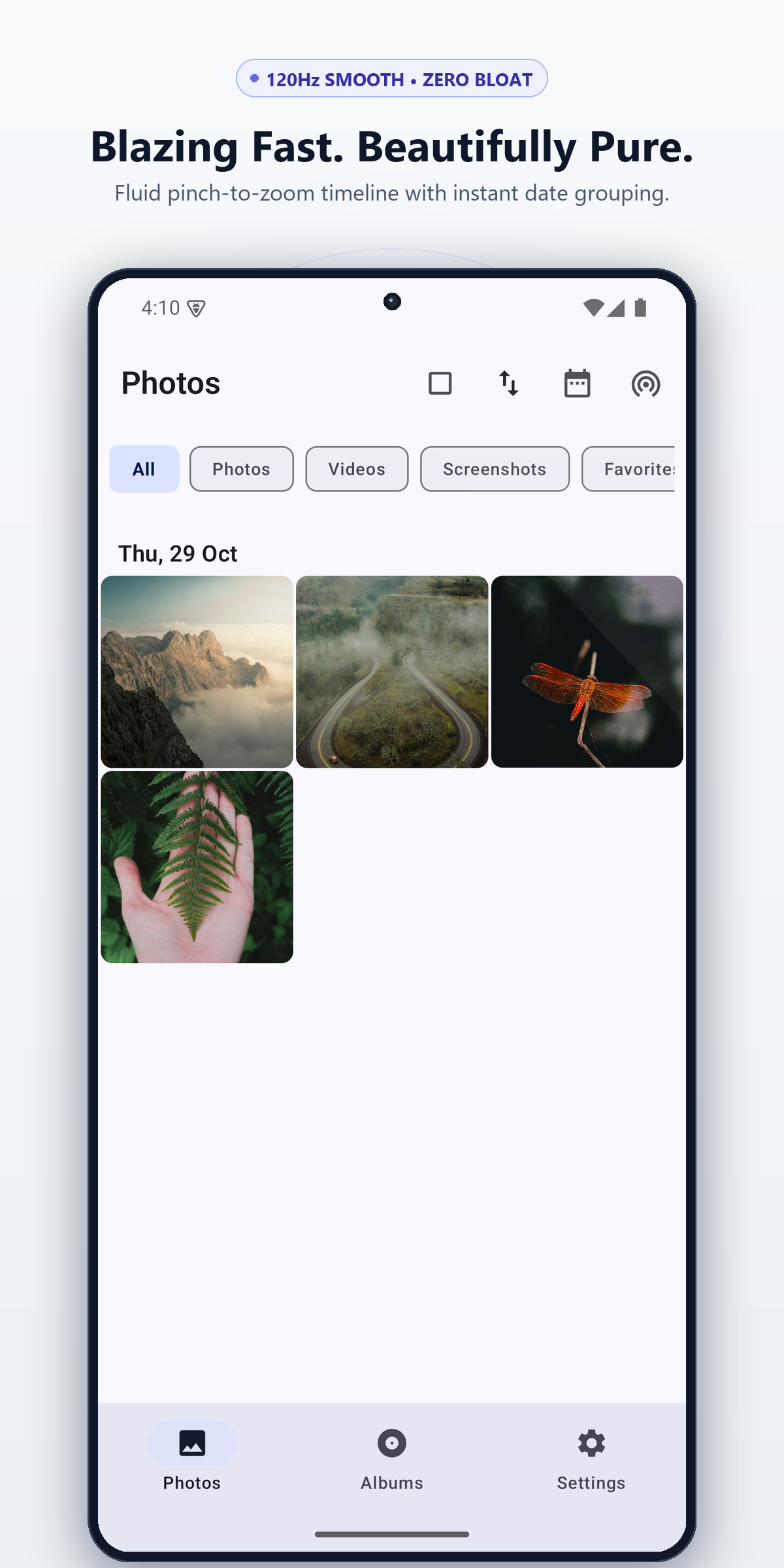
Photos Timeline
Photos Timeline
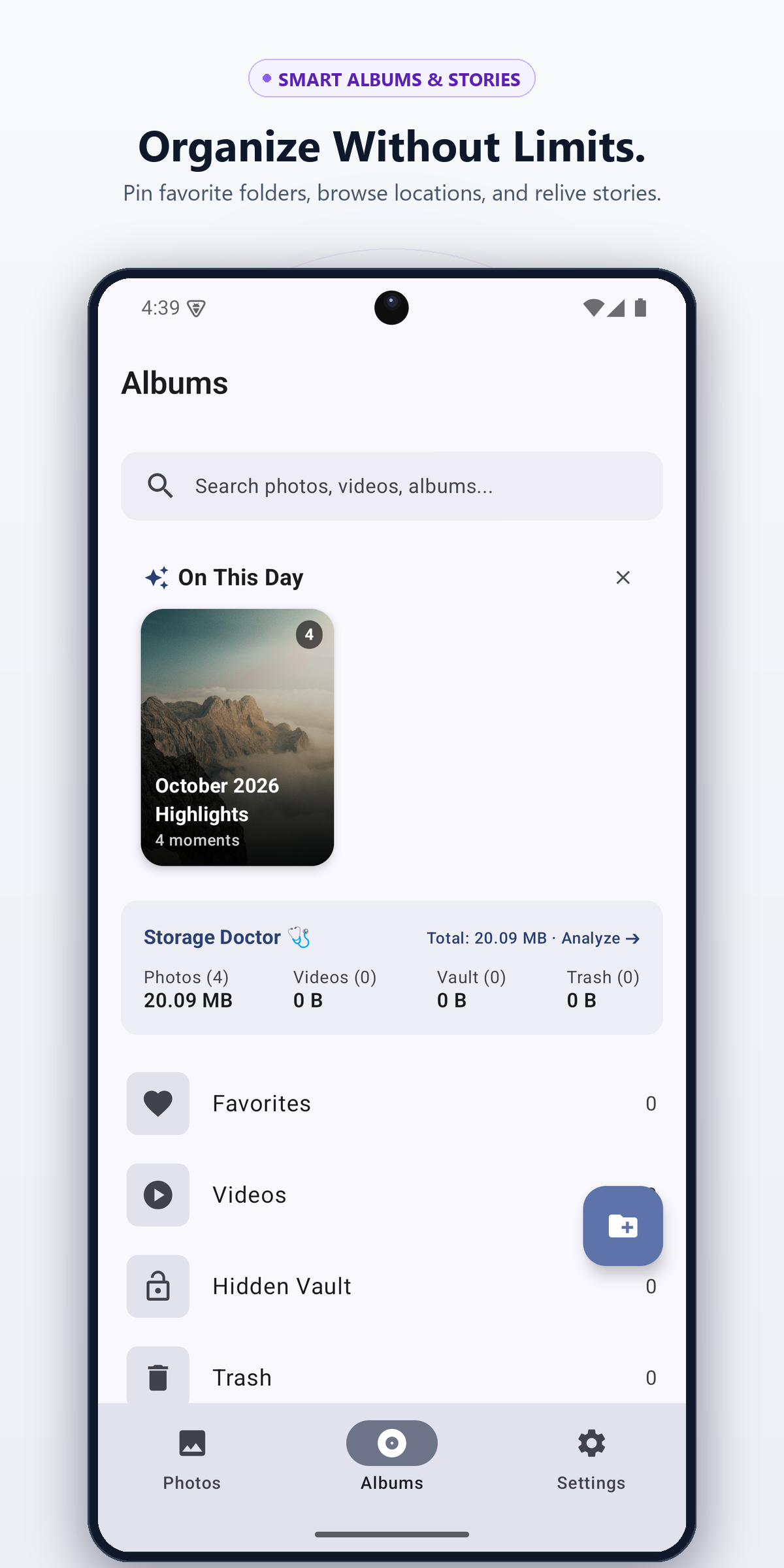
Albums & Memories
Albums & Memories
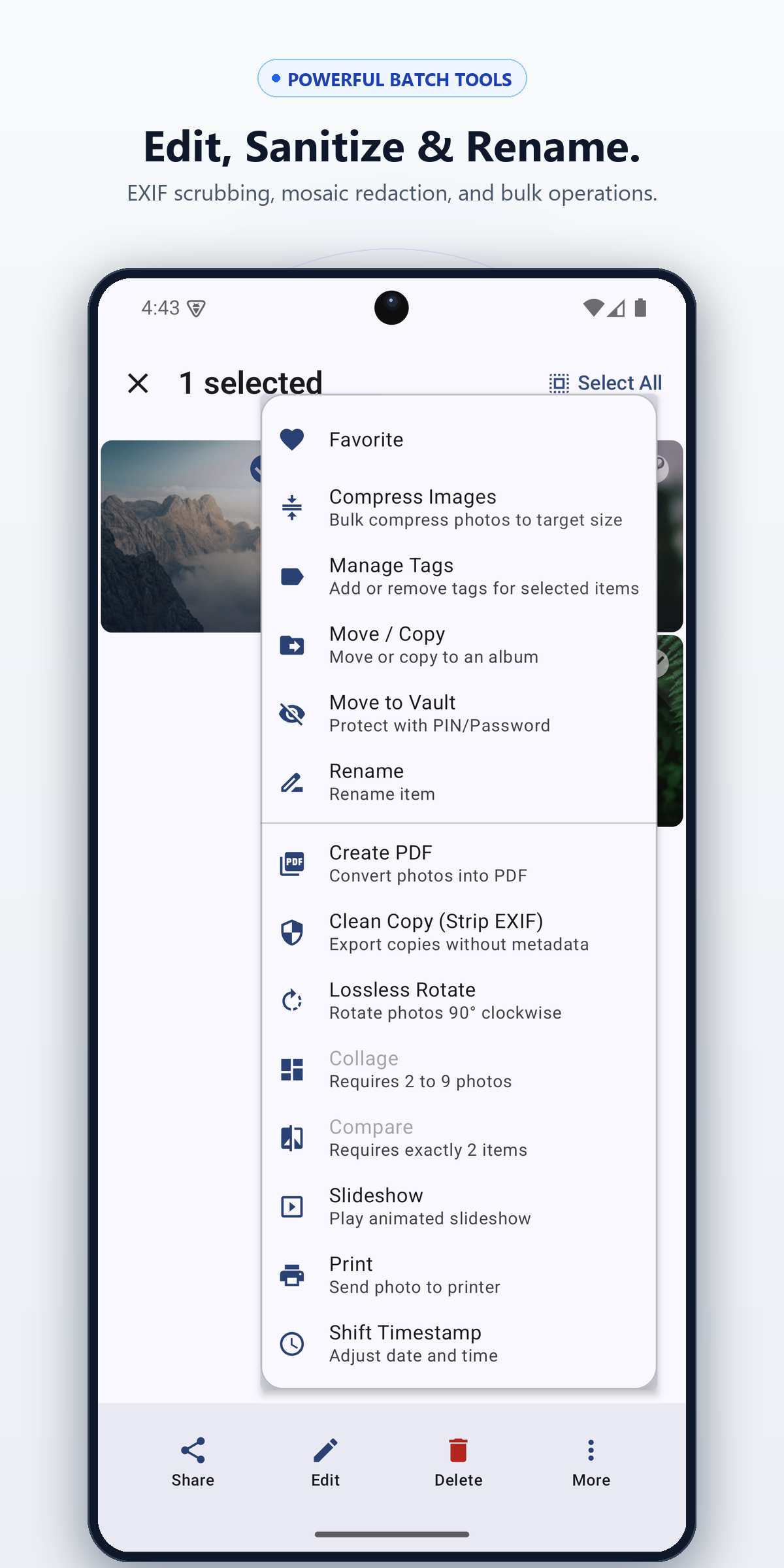
Batch Selection & Tools
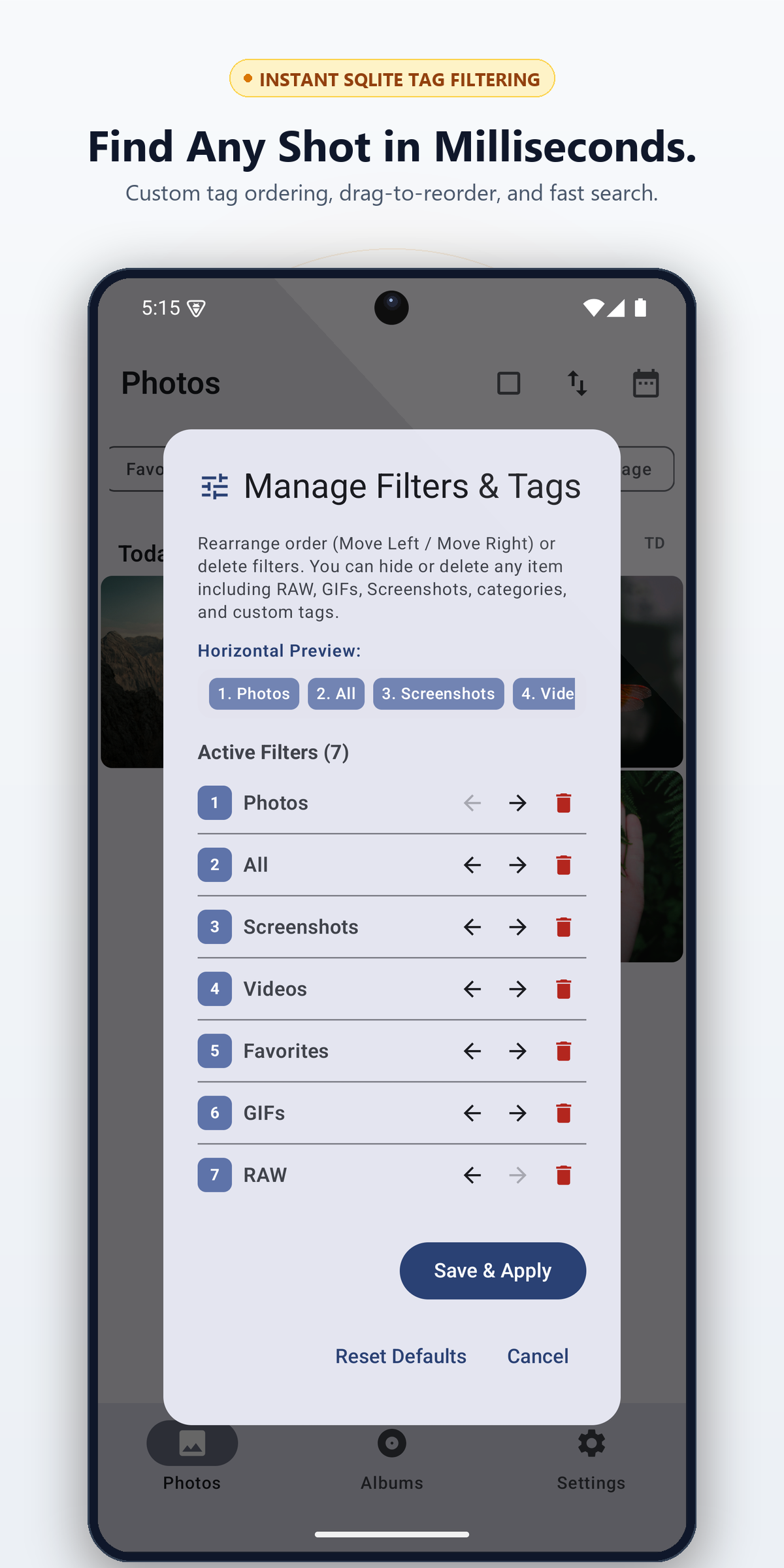
Filter & Tag Manager
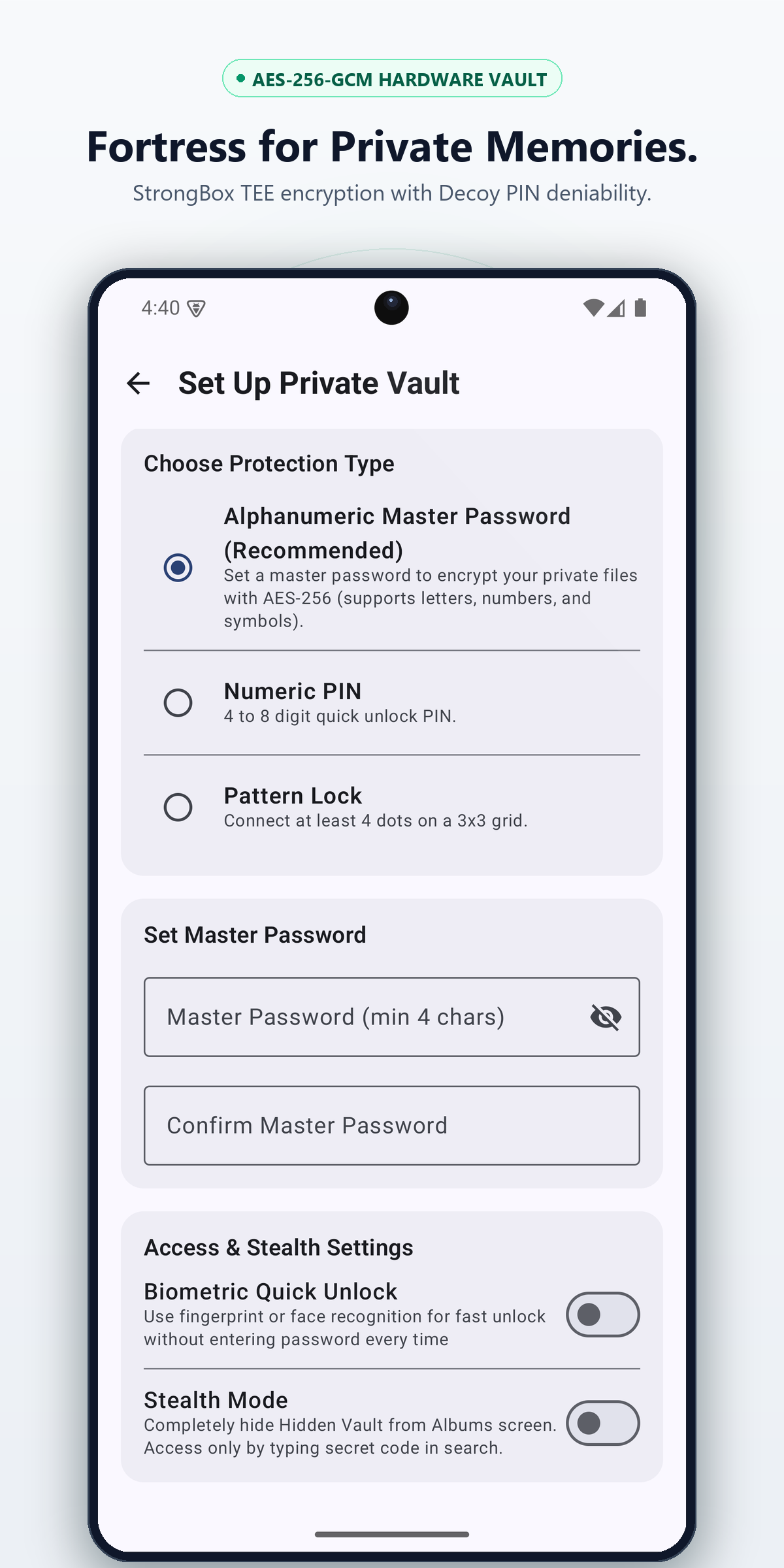
Hardware Encrypted Vault
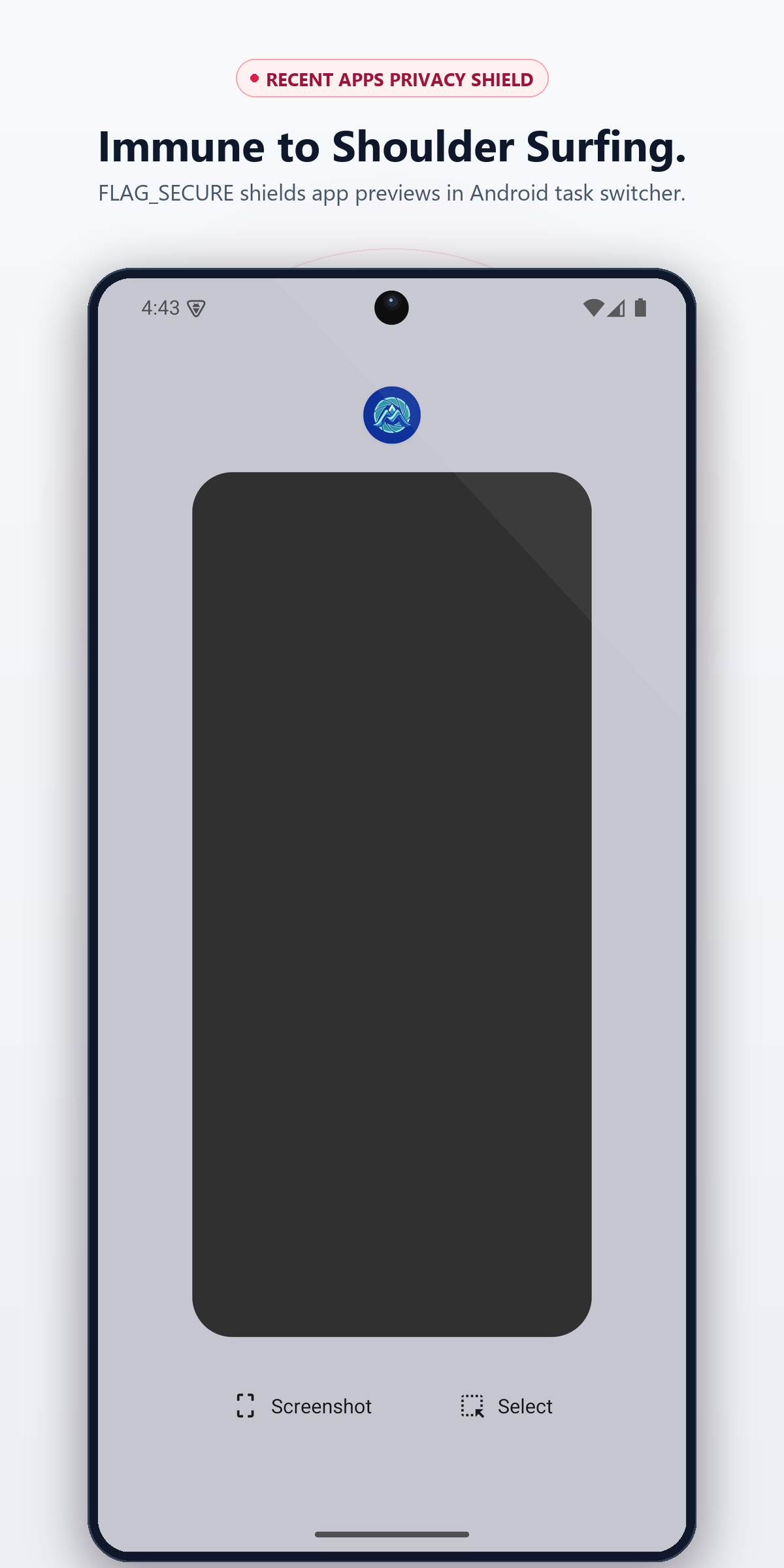
App Switcher Shield
App Switcher Shield
About & FOSS Transparency
Album Privacy & Security
Language Localization
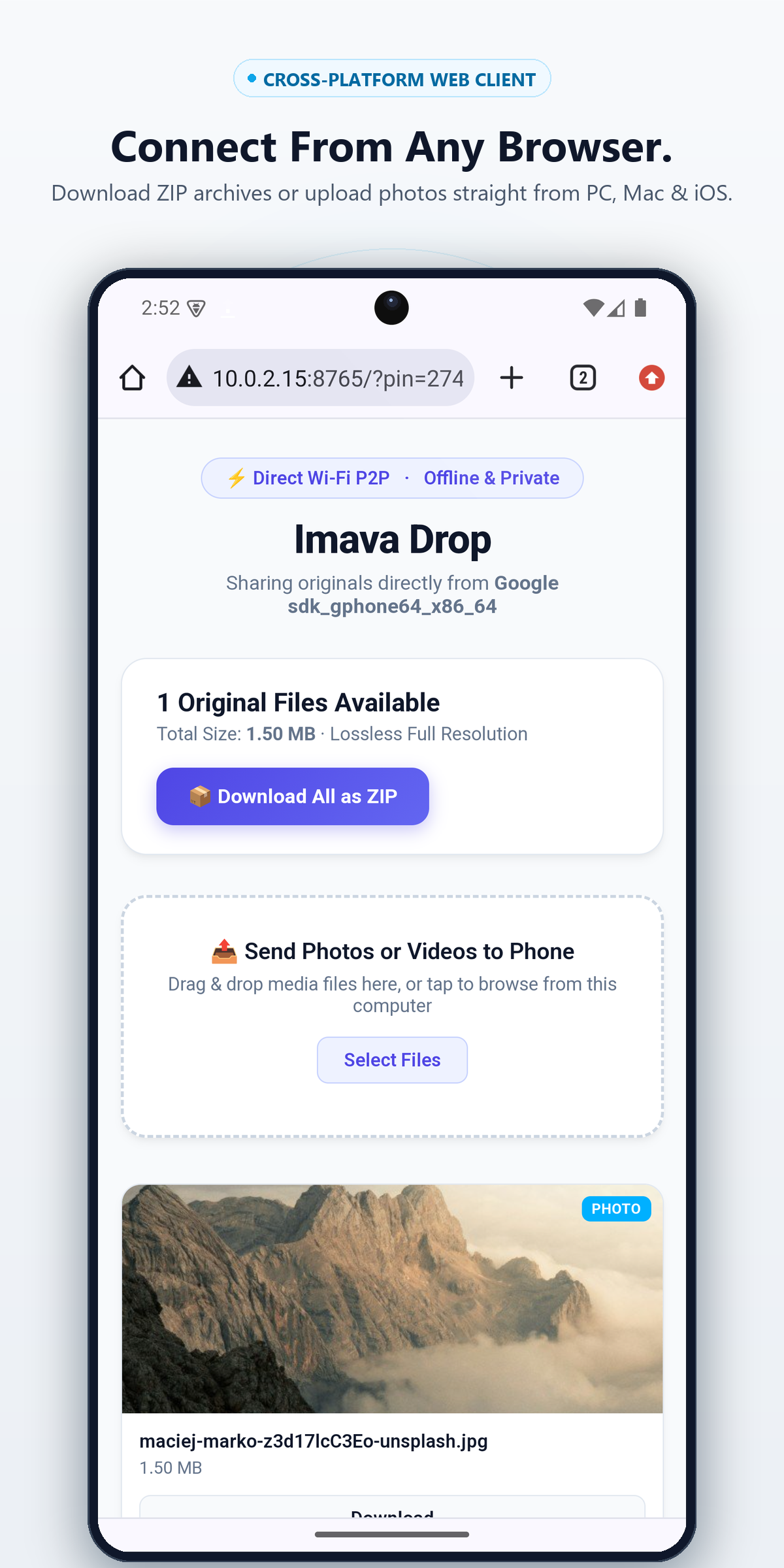
Imava Drop (Wi-Fi P2P)
Imava Drop Web Portal
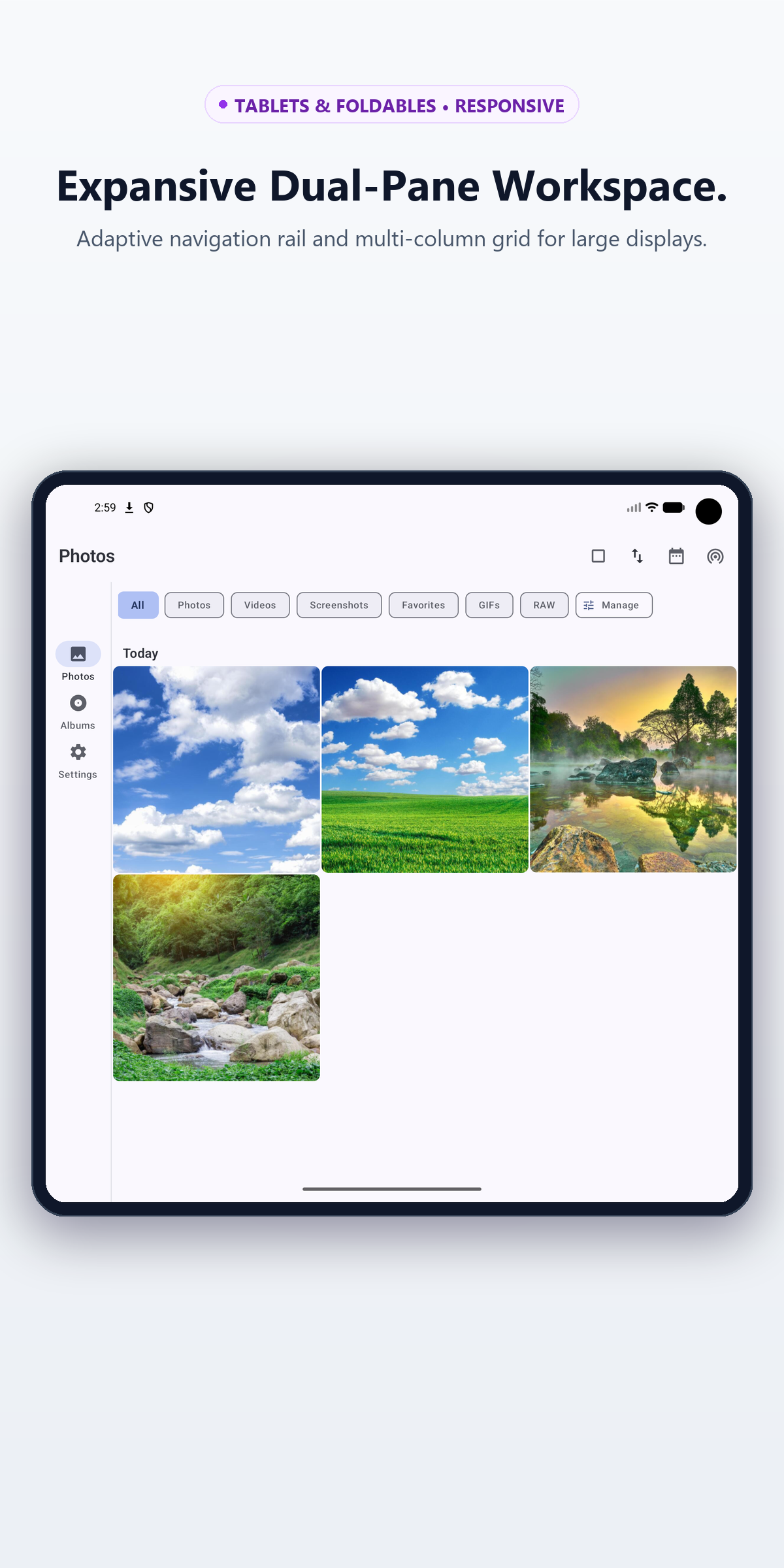
Tablets & Foldables UI

Everything you need. Zero bloat.

Engineered from scratch for blazing performance, cryptographic privacy, and complete offline autonomy.

πŸ”

Hardware AES-256-GCM Vault

AndroidKeyStore TEE/StrongBox hardware cryptography with 100,000–250,000 PBKDF2 rounds, dynamic FLAG_SECURE screenshot blocking, and encrypted .imava container export.

🎭

Decoy PIN (Plausible Deniability)

Protect yourself under coercion. Entering your alternate Decoy PIN seamlessly opens a completely fake, empty gallery without raising suspicion.

πŸͺ“

CSPRNG Forensic File Shredder

Overwrites raw disk sectors with multi-pass cryptographically secure random bytes before unlinking. Defeats chip carving and digital forensic recovery.

🚷

Guest Hand-Off "Jail" Mode

Hand your phone to friends without panic. Lock the screen exclusively to selected photos, blocking lateral swiping into your private library.

πŸ‘»

Ghost Thumbnail Purger

1-Tap purge of cached OS thumbnails and media index traces, ensuring deleted or vaulted photos leave no residual previews on your file system.

πŸ“·

Camera & System Viewer (ACTION_VIEW)

Native companion for system camera apps and file managers. View recent shots directly from the shutter and return with zero friction.

🎨

Native Collage Maker

Stitch 2 to 9 photos across 1:1, 4:5, 9:16, and 16:9 aspect ratios with real-time padding, corner radius, borders, and lossless 2048px export.

πŸ–ŒοΈ

Destructive Mosaic Redaction

Irreversible mathematical downsampling pixelation to permanently redact faces, license plates, or credit cards against AI de-blurring or OCR salvage.

πŸ“

EXIF GPS Location Fuzzing

Sanitize sensitive metadata or randomize GPS coordinates within a configurable radius (500m–5km) to protect your home location before sharing.

πŸ“Έ

1-Tap Video Frame Grabber

Extract full-sensor uncompressed still photos at the exact millisecond of any video playback with instant MediaStore indexing.

πŸ“…

Offline Throwback Story Player

On-device "On This Day" memories in an interactive story player with auto-advance, sound toggle, and persistent 24h dismissal.

🩺

Storage Doctor Assistant

Intelligent scanner that detects large videos (>50MB), stale screenshots (>30 days), and burst duplicate shots with a 1-tap "Keep Best" cleaner.

πŸ”

Recursive Deep Storage Scanner

High-performance background scanner with smart directory pruning that discovers hidden messaging app media, third-party folders, and overlooked downloads.

🎬

Cinematic Ken-Burns Slideshow

Ambient pan-and-zoom motion transitions with 3s/5s/8s pacing presets, shuffle mode, and immersive fullscreen presentation.

πŸ”¬

Split-Screen Comparison Loupe

Inspect any two photos side-by-side with synchronized dual-pane zoom & pan to quickly pick the sharpest shot.

🏷️

Offline Tags & SQLite Search

Assign custom hashtags (#Invoice, #Travel) to any photo, indexed locally in SQLite Room for lightning-fast sub-millisecond search.

πŸ”’

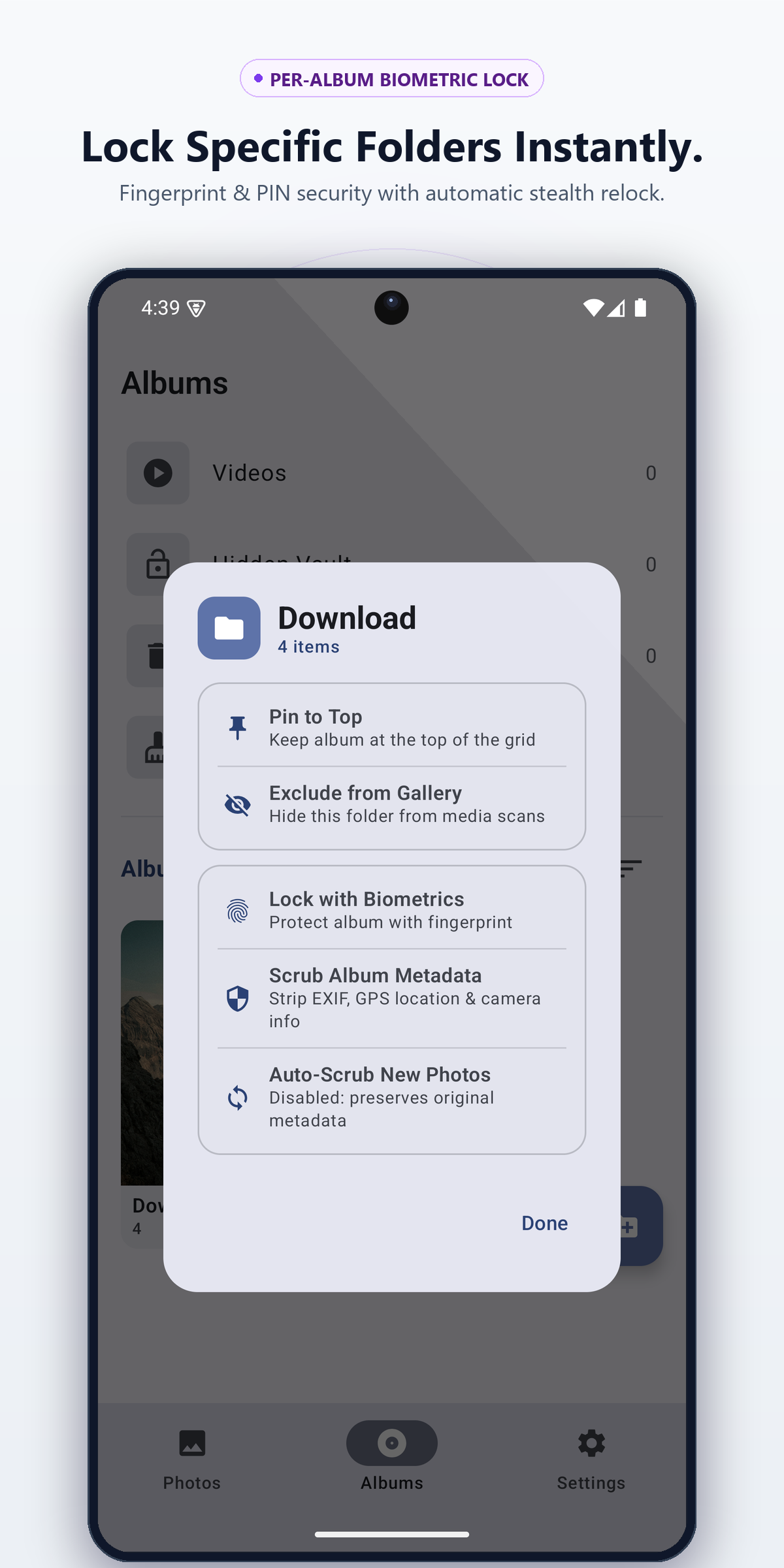
Per-Album Biometric & Stealth Lock

Protect specific folders with Fingerprint or PIN lock, 30s background auto-relock, and native .nomedia creation to conceal media from third-party apps.

🎞️

Motion Photo & GIF Studio

Scrub frame-by-frame through motion photos and live captures to extract full-resolution stills or export seamless looping animated GIFs.

πŸŽ›οΈ

Customizable Filter & Tag Manager

Rearrange timeline chips left or right to position daily necessity tags (#Daily, #Work) first. Delete or hide any filter including RAW, GIFs, Screenshots, and custom tags with 1-tap restore.

πŸ›‘οΈ

App Switcher Privacy Shield

Hardware window FLAG_SECURE protection automatically shields your gallery preview in the Android Recent Apps switcher, preventing accidental shoulder surfing and OS task snapshots.

πŸ—œοΈ

Bulk Image Compressor

Losslessly or lossy recompress multiple photos at once with adjustable quality sliders (JPEG & WEBP) and live space saving calculations right from the multi-select menu.

βš–οΈ

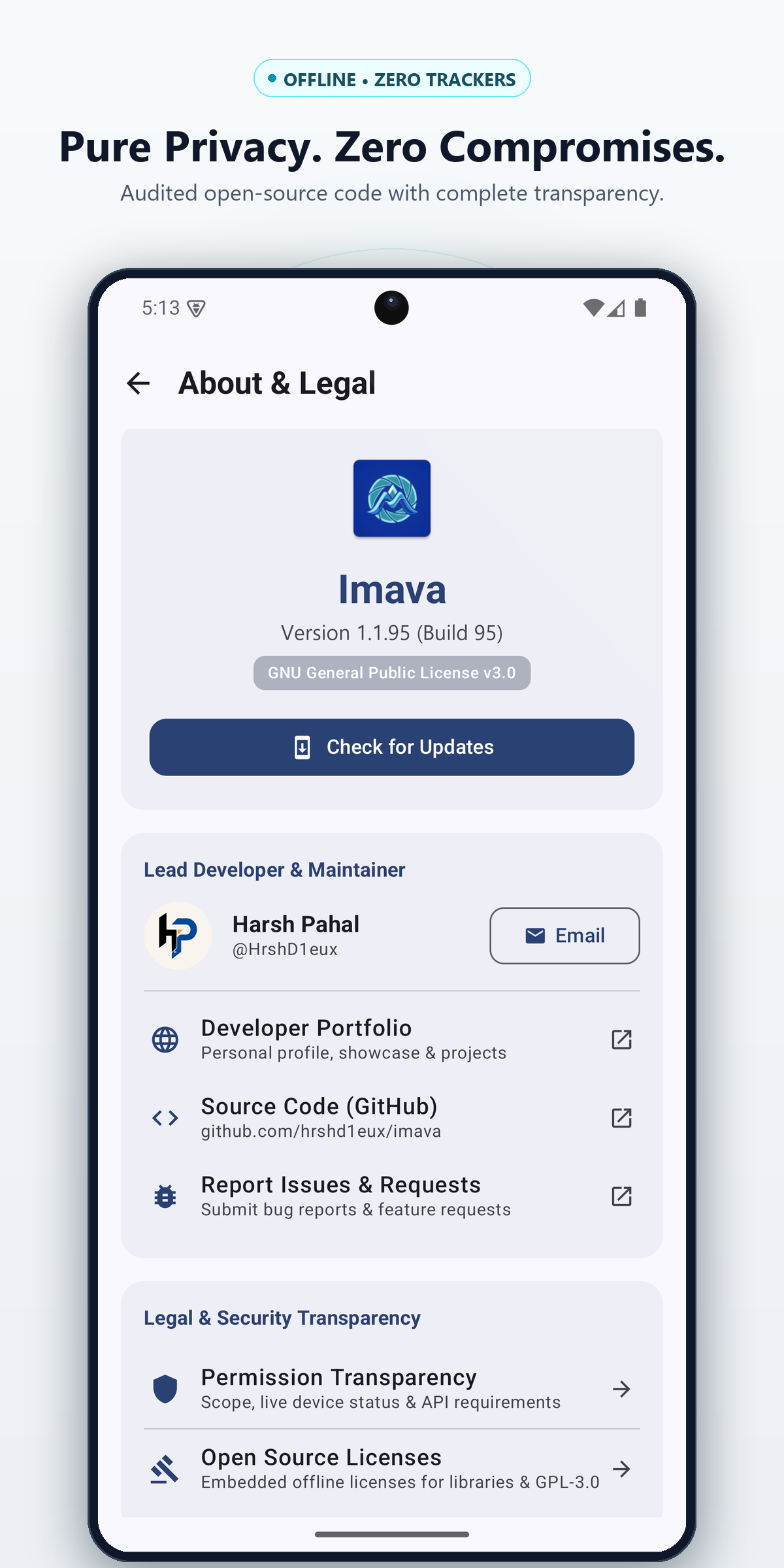
18 Audited FOSS Components & Permission Transparency

Audited Apache 2.0 open-source library architecture with zero Google proprietary blobs, paired with an interactive 18-permission comparative transparency matrix.

πŸ”

On-Device OCR & Selective Copy

Recognize and extract text from receipts, documents, and signs with a single tap. Select and copy individual lines without sending images to cloud APIs.

πŸ—‘οΈ

Biometric Trash Lock & Concealed Folders

Require fingerprint, face, or PIN to open Trash and inspect deleted photos. Nosy friends borrowing your phone can never snoop through deleted media.

⚑

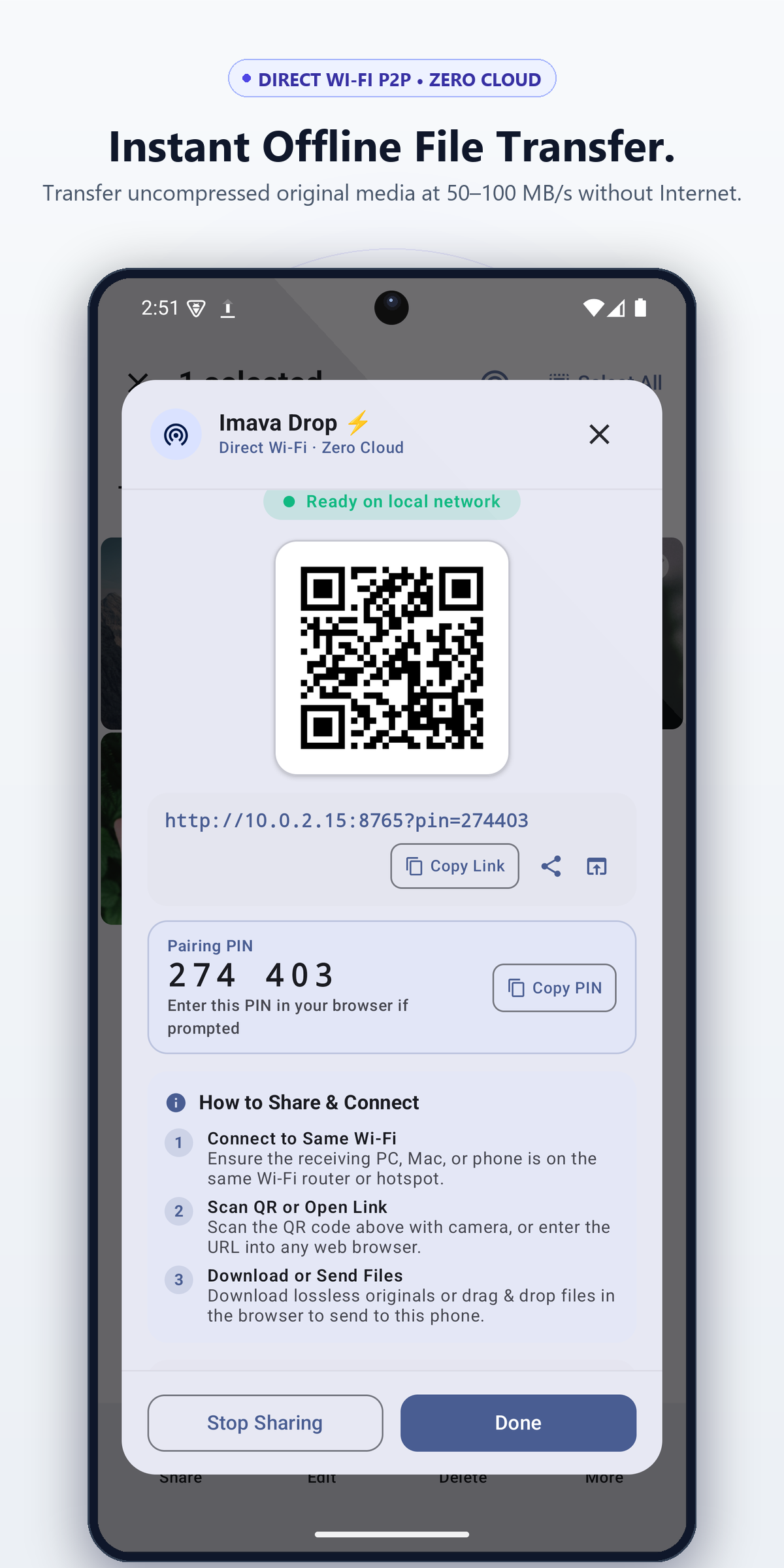
Direct Wi-Fi P2P Drop (Zero Cloud)

Local, zero-cloud Wi-Fi transfers with Imava Drop. Transfer full uncompressed originals to PC, Mac, iPhone, or Linux at 50–100 MB/s via embedded QR-paired HTTP server.

πŸ”‡

1-Second Lossless Video Muter

Losslessly demux and strip audio tracks from videos using native Android MediaMuxer without re-encodingβ€”instantaneous even on 4K 60fps clips.

πŸ”

Advanced Metadata Search & Filter

Instant, zero-network filtering by hardware attributes: file sizes (>500MB, >1GB), resolutions (4K UHD, 1080p FHD, Panoramas, Portrait), custom date ranges, and camera device models.

🌐

Atomic WebDAV / Local NAS Backup

Private, direct background synchronization to your home Synology, Nextcloud, TrueNAS, QNAP, or personal WebDAV server with atomic staging, remote deduplication, and zero commercial cloud dependence.

πŸ”

Pure-Math Blurry Photo Detector

Storage Doctor utility powered by discrete Laplacian edge variance on downsampled thumbnails. Catches out-of-focus and shaken photos in ~2ms per item with zero machine-learning bloat.

πŸ“

Smart Albums 2.0 (Deterministic Rule Engine)

Deterministic Room SQLite rule collections: Huge Videos (>500MB), Burst Sequences, Captured This Year, Screenshots, and Tagged Media with instantaneous dynamic chips.

πŸ“±

Tablet & Foldable Dual-Pane Engine

Adaptive master-detail navigation with edge-to-edge Navigation Rail and split-screen album tree on wide displays, tablets, and unfolded foldable postures.

Architectural Integrity & Zero Trust

Understand how Imava protects your data using mathematical guarantees, hardware TEE modules, and zero-network isolation.

What is Imava?

Imava is a free, open-source (GPL-3.0), fully offline Android gallery application developed as a privacy-first alternative to cloud-dependent and tracking-heavy proprietary media managers. Built entirely in Kotlin and Jetpack Compose for modern Android (Android 8.0 through Android 17+), Imava combines 120Hz smooth scrolling with defense-grade security: hardware-backed AES-256-GCM vault encryption, plausible deniability Decoy PIN, multi-pass CSPRNG forensic file shredding, guest hand-off jail mode, and 0 bytes of network transmission.

πŸ›‘οΈ Cryptography & Security Architecture

  • Vault Cipher: AES-256-GCM (Galois/Counter Mode)
  • Key Derivation: PBKDF2 (100,000–250,000 Rounds)
  • Hardware Security: AndroidKeyStore TEE / StrongBox
  • Salt Generation: 16-Byte Cryptographic SecureRandom
  • File Shredder: CSPRNG Multi-Pass Sector Overwrite
  • Plausible Deniability: Isolated Decoy Vault Container
  • Screen Protection: Dynamic Window FLAG_SECURE

⚑ Platform & Software Specifications

  • Minimum OS: Android 8.0 Oreo (API Level 26)
  • Target OS: Android 17+ (API Level 36+)
  • UI Toolkit: Jetpack Compose & Material You
  • Database Engine: SQLite via Android Room
  • Network Permission: None (Zero Network Footprint)
  • Custom ROM Support: GrapheneOS, CalyxOS, LineageOS
  • Open Source License: GNU General Public License v3.0

Frequently Asked Questions

Authoritative answers regarding privacy, encryption, compatibility, and device performance.

Is Imava private? Does it upload anything to third-party cloud servers? β–Ύ
Imava is private with zero cloud telemetry. The Android INTERNET permission is used solely for checking GitHub Releases for app updates and optional direct backup to your home NAS / WebDAV server over local Wi-Fi. Not a single photo, video, tag, facial recognition embedding, or telemetry byte is ever sent to third parties or proprietary cloud servers. All Room SQLite indexing and ML text recognition occur strictly on-device.
How does the Hidden Vault hardware encryption work? β–Ύ
Media moved to Imava's vault is encrypted at rest using AES-256-GCM authenticated encryption. Encryption keys are securely derived via PBKDF2 with 100,000–250,000 iterations and protected inside your phone's hardware security module (AndroidKeyStore TEE or StrongBox). Unencrypted original files are securely wiped from public storage.
What is Decoy PIN mode and how does it provide plausible deniability? β–Ύ
Decoy PIN mode provides plausible deniability if you are forced or compelled to unlock your phone. You set up a secondary Decoy PIN alongside your Master PIN. Entering your Decoy PIN smoothly unlocks a convincing, completely empty galleryβ€”leaving no indication that a real vault exists.
What is the CSPRNG file shredder and how does it prevent file recovery? β–Ύ
When standard apps delete a file, they simply mark the index entry as unused, leaving raw data sectors intact on flash storage where digital forensic tools can carve and salvage photos. Imava's built-in file shredder overwrites the physical sectors with cryptographically secure pseudo-random bytes (CSPRNG) prior to unlinking, rendering file recovery mathematically impossible.
What is Guest Hand-Off "Jail" Mode? β–Ύ
Guest Hand-Off Jail Mode eliminates the panic of showing photos to friends or colleagues. You select 1 to N photos and enter Hand-Off mode. The viewer restricts horizontal paging exclusively to those chosen photos, preventing guests from swiping left or right into private media or navigating back to your gallery grid.
Does Imava work as the default camera viewer for system camera apps? β–Ύ
Yes! Imava registers Android ACTION_VIEW intent filters for image/* and video/* MIME types. When you tap the circular thumbnail in your device's camera app or open an image from a file manager, Imava launches instantly and smoothly drops you back to your camera viewfinder upon closing.
Does Imava work on de-Googled ROMs like GrapheneOS, CalyxOS, and LineageOS? β–Ύ
Yes. Imava has zero dependencies on Google Play Services, Firebase, or Google Mobile Services (GMS). It runs natively and securely on GrapheneOS, CalyxOS, LineageOS, DivestOS, and vanilla AOSP.
How do I back up and restore my encrypted vault? β–Ύ
Within Vault Security Settings, tap "Export Backup πŸ’Ύ". This packages all encrypted ciphertexts and metadata into a standalone .imava container encrypted with a custom passphrase that you can safely transfer to a USB flash drive, external SSD, or computer, and restore on any device running Imava.
Does Imava leave behind ghost thumbnails or leaked cache files? β–Ύ
No. Unlike standard galleries that leave cached thumbnails in Android's shared `.thumbnails` folders, Imava includes a dedicated Ghost Thumbnail & Cache Purger that zeros out residual thumbnail caches when items are vaulted or deleted.
What is EXIF GPS location fuzzing? β–Ύ
When sharing a photo online, exposing exact GPS coordinates can reveal your home address or workplace. Imava allows you to either strip all EXIF metadata or fuzz your coordinates within a randomized 500m to 5km radius, protecting your precise location while maintaining regional context.